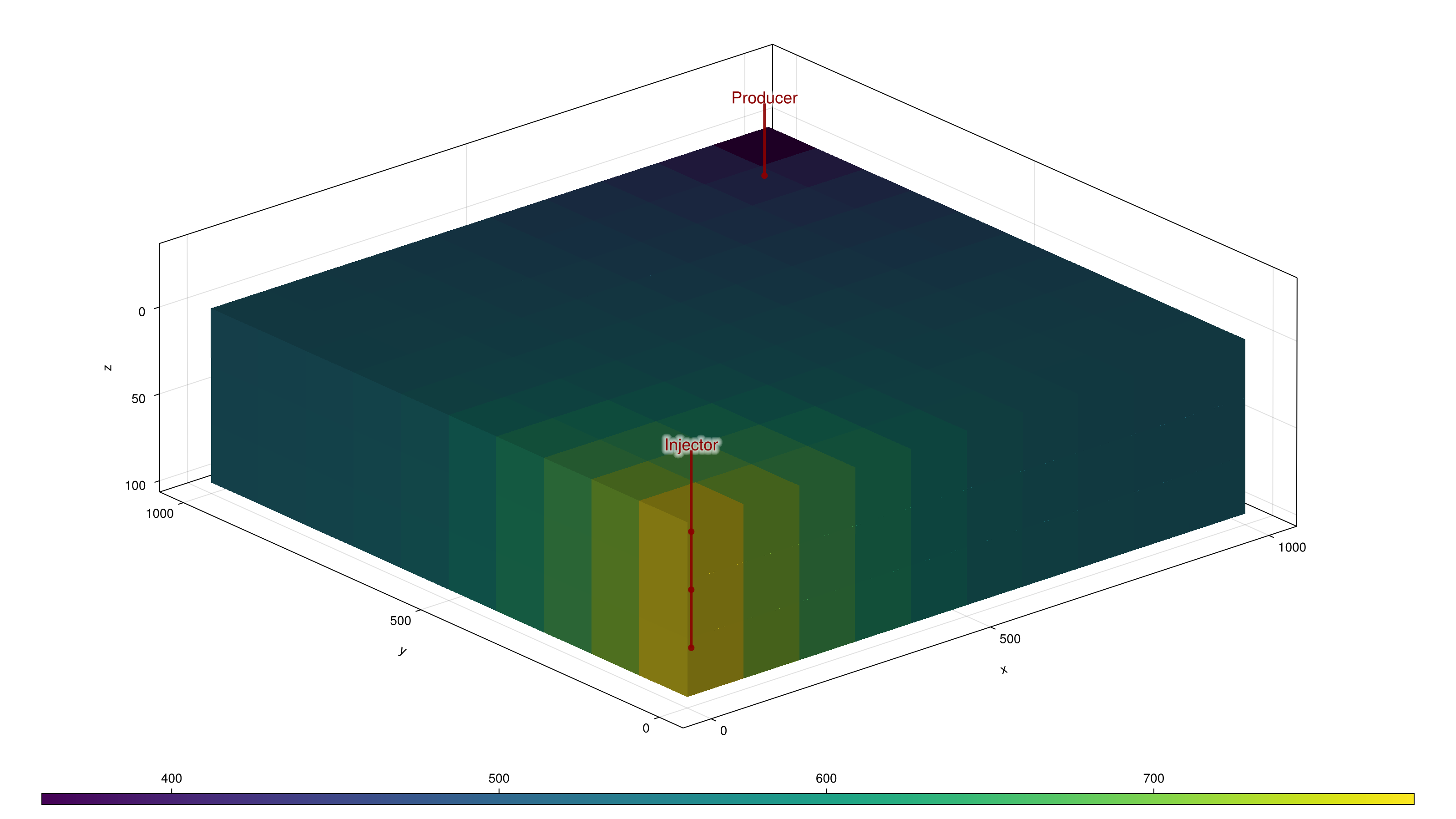
Plot reservoir pressure with Makie.
Run jd.install_plotting() once for interactive OpenGL windows. For headless
rendering, install CairoMakie with jd.install_plotting("CairoMakie") and call
main(output_dir=...). The model is built by the companion standalone example.
This example is executed during every documentation build.
"""Plot reservoir pressure with Makie.

Run `jd.install_plotting()` once for interactive OpenGL windows. For headless
rendering, install CairoMakie with `jd.install_plotting("CairoMakie")` and call
`main(output_dir=...)`. The model is built by the companion standalone example.
"""

from pathlib import Path

import jutuldarcy as jd
from standalone import build_case


def main(output_dir=None):
    case = build_case()
    result = jd.simulate_reservoir(case, info_level=-1)
    if output_dir is None:
        jd.activate_plotting("GLMakie")
        return jd.plot_reservoir(case.model, result, key="Pressure", block=True)
    jd.activate_plotting("CairoMakie")
    figure = jd.plot_reservoir(case.model, result, display=False, key="Pressure")
    path = Path(output_dir) / "pressure.png"
    jd.jl.CairoMakie.save(str(path), figure)
    assert path.stat().st_size > 1000
    print(f"Rendered pressure for {jd.number_of_cells(jd.reservoir_domain(case))} cells.")
    return figure


if __name__ == "__main__":
    main()
Output
Rendered pressure for 300 cells.